
5 November 2026 · 6 min read
How many games do you own? Nobody knows
Ask a game collector how many games they own and watch what happens. First comes a number, said with confidence. Then comes a pause; then “plus the ones on Epic” (the free ones you claimed and forgot), then “a few on GOG, I think”, and finally “oh, and the Switch”.
I do not blame them. The number does not exist anywhere. Steam knows its part, GOG knows its part, and Epic, Sony and Nintendo know theirs; none of them has any interest in telling you about the others (why would they, every store wants you living inside its own launcher). So the only way to get the total is to add it up yourself, store by store, in a spreadsheet that nobody keeps up to date.
A shelf you could count
We have been here before, or somewhere close to it. When games came in boxes, a collection was a shelf; you could count it, sort it, lend a cartridge to a friend and (usually) get it back. Digital stores took the shelf away and gave every store a shelf of its own. A few years of sales later the pile is spread over five launchers and five accounts, and the community has a name for the part of it that was never started (not a kind name :) ).
That is a strange place to be. We spend real money on these libraries, and then we cannot answer the simplest question about them: how many, and where?
Open the box
Before building anything, the first question is whether the problem can be solved at all, and that depends on what each store is willing to tell you about what you own. It is not the same for everyone; there are five stores and five different answers.
- Steam lists every game you own through its Web API (Application Programming Interface). Showcase signs in on Steam's own page and uses the token that session gets, so even a private profile works.
- GOG gives the whole library, the hidden games included.
- Epic gives the library too, with the DLC (downloadable content) and the Unreal Engine assets left out, because those are not games.
- PlayStation lists the games you have played, plus every game that has a trophy list. A game you bought and never started does not appear; Sony has no stable API for purchases.
- Nintendo has no public API at all. Showcase reads your eShop purchase history in a hidden browser, and that history only goes back about two years.
So two of the five answers are incomplete, and not because of anything we did. Showcase says so, on its page and here; a library that claims to be complete and is not is worse than no library at all.
The stores' answers are the annoying part. The names are the hard part.
Is it the same game?
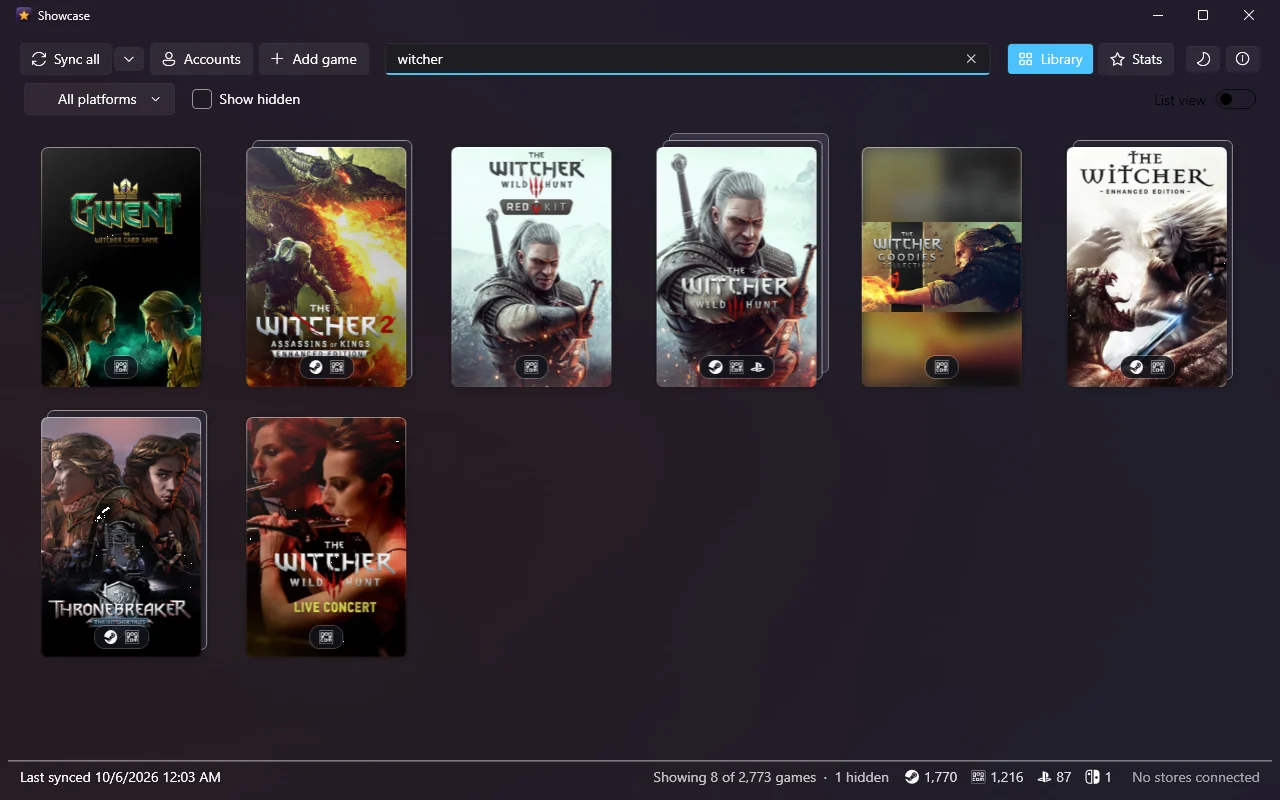
The Witcher 3 on Steam, GOG and PlayStation is one game bought three times (I will let you decide how that happened). A library that shows three posters has not solved your problem, it has moved it. So Showcase stacks them: one poster per game, with an icon underneath for every store that has a copy.
That sounds trivial until you try it. Titles differ in small ways; ™ and ®, “The”, an ampersand against “and”, Roman numerals (Age of Wonders III is Age of Wonders 3), a Game of the Year or Deluxe label that makes no difference to the game. None of those keeps two copies apart. But Gold, Definitive, Anniversary and Remastered usually mean a different release, so those stay separate; Thief Gold is not the 2014 Thief.
Ok, but isn't there already …
Ok, I am not the first to bring a collection together.
GOG Galaxy has done it for years, and Playnite is a very good open-source library manager; Showcase learned from both, since the way their integrations talk to the stores is a good part of how several of these sign-ins are known to work (I owe them one). The difference is what it is for. Those two want to be where you start your games. Showcase is for looking at the collection, counting it and showing it off; it has an Open in launcher button for the games that have one, to be fair, but it reads, it does not manage.
What you get, for free
Here is the whole list. The price of every item on it is the same.
- Five stores in one library: Steam, GOG, Epic Games, PlayStation and Nintendo. Xbox is built but held back, until Showcase has a Microsoft app registration of its own.
- Stacks and filters: search, a filter for each store, and Hidden, Installed, New and No art.
- Physical copies: cartridges and discs you enter by hand, with the cover found for you, stacking with the digital copies of the same game.
- A profile page per game: banner, description, screenshots, and the achievements you have unlocked with how rare each one is.
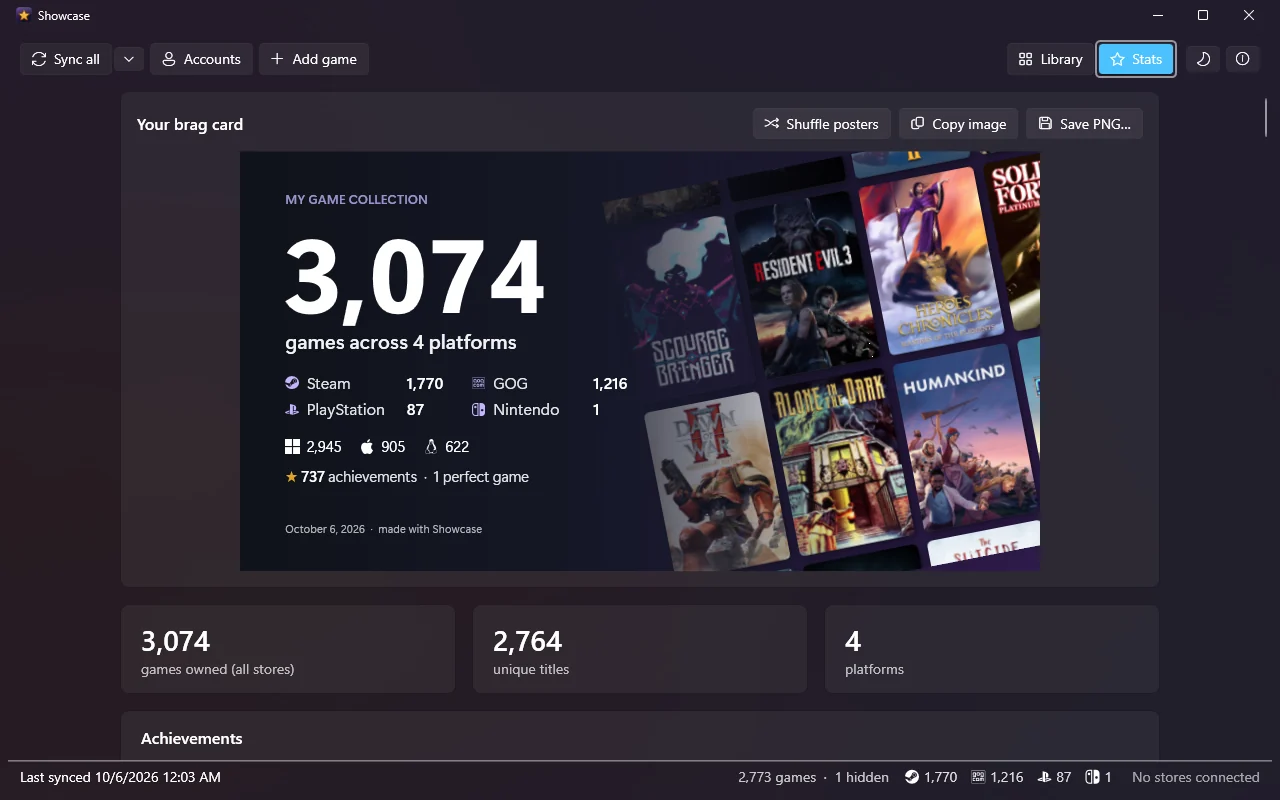
- Stats: totals, unique titles, the split by store and by operating system, achievements unlocked and perfect games.
- Three brag cards, to copy or save as an image: your numbers, your rarest achievements, and what your collection costs.
- Your own posters: Change poster, from the stores, from SteamGridDB with a free key of your own, or from a file; and a showcase command-line tool on the same library.
Free means free. There is no Showcase account, and no Wizhut server sits between you and the stores. The library is a SQLite database (a single file) in your own user folder, and the store sign-ins stay on your computer, encrypted by Windows or kept in the login keychain on a Mac. Showcase talks to the stores, to SteamGridDB if you give it a key and, to check for its own updates, to GitHub on Windows and to Wizhut's download server on the Mac. Nothing else.
Windows, and a Mac beta
Showcase runs on Windows 10 or 11 and, as a beta, on macOS 14 or newer. The Mac version is a port of the Windows app, newer and less tested against the live stores, so if one of the sign-ins misbehaves there, that is exactly what a beta is for. Both downloads are on the Showcase page.
Epilogue
None of this makes the pile smaller. I have not solved owning fewer games than I buy; Showcase only makes the number visible, which is both the point and the problem.
There is a button on the third card called Read prices. It asks every store what each game you own costs today, in your country's currency, and adds it all up. I would sit down first.